
SSLyze
Deprecated
CLI importers are deprecated. Import scan results from the SysReptor web UI using the scanimport plugin instead.
Examples
shell
target=example.com:443
sslyze --sslv2 --sslv3 --tlsv1 --tlsv1_1 --tlsv1_2 --tlsv1_3 --certinfo --reneg --compression --heartbleed --openssl_ccs --fallback --robot "$target" --json_out=- | tee sslyze.jsonshell
cat sslyze.json | reptor sslyze  # Format
cat sslyze.json | reptor sslyze --upload  # Format and upload as note
cat sslyze.json | reptor sslyze --push-findings  # Create findings from scan results
reptor sslyze -i sslyze_1.json sslyze_2.json --push-findings  # Use multiple input files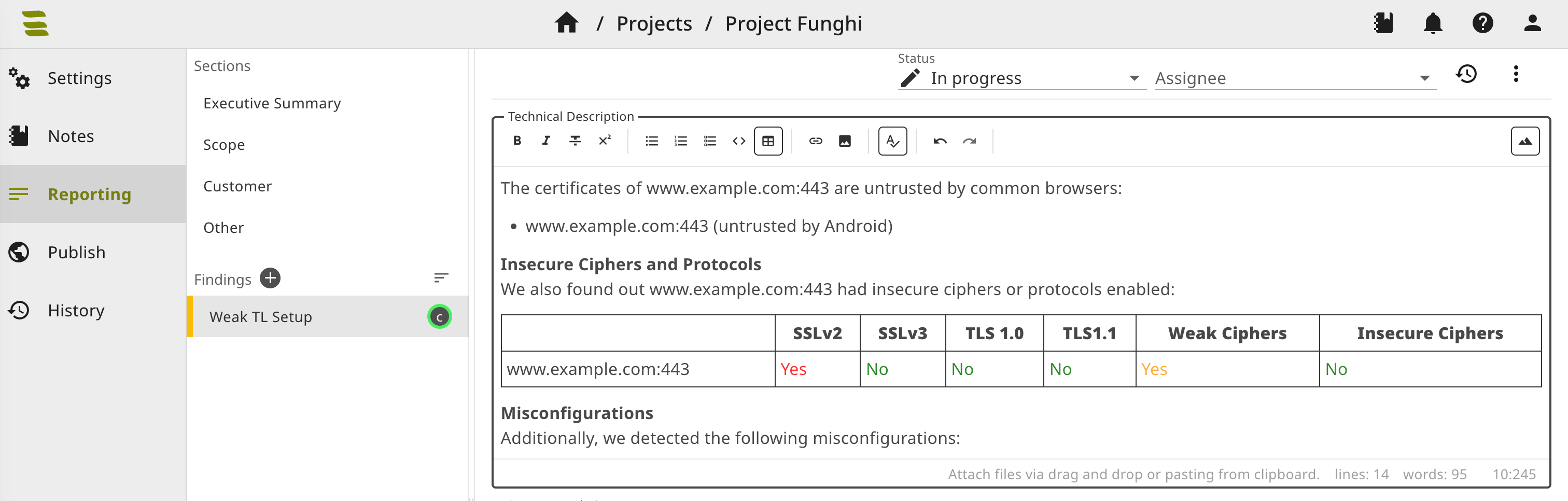
Usage
txt
usage: reptor sslyze [-h] [-i [INPUT ...]]
                     [--format | --upload | --push-findings | --template-vars | --parse | --upload-finding-templates]

format sslyze JSON output

options:
  -h, --help            show this help message and exit
  -i [INPUT ...], --input [INPUT ...]
                        Input file, if not stdin (multiple files allowed)
  --format
  --upload
  --push-findings
  --template-vars       Print template variables (needed for finding template customization).
  --parse
  --upload-finding-templates
                        Upload local finding templates to SysReptor