---
url: https://docs.sysreptor.com/reporting/references.md
---
# References
Use the `id`-attributes of HTML elements for referencing items in your report.
This allows you to reference for example:
* Headings
* Figures
* Tables
* Findings
* and everything that has an `id`
## Reference Images
```md title="Markdown"
{#sqli}
As you see in [](#sqli) (e.g. rendered as "Figure 3")
```
```html title="HTML"
SQL Injection
As you see in (e.g. rendered as "Figure 3")
```
## Reference Findings
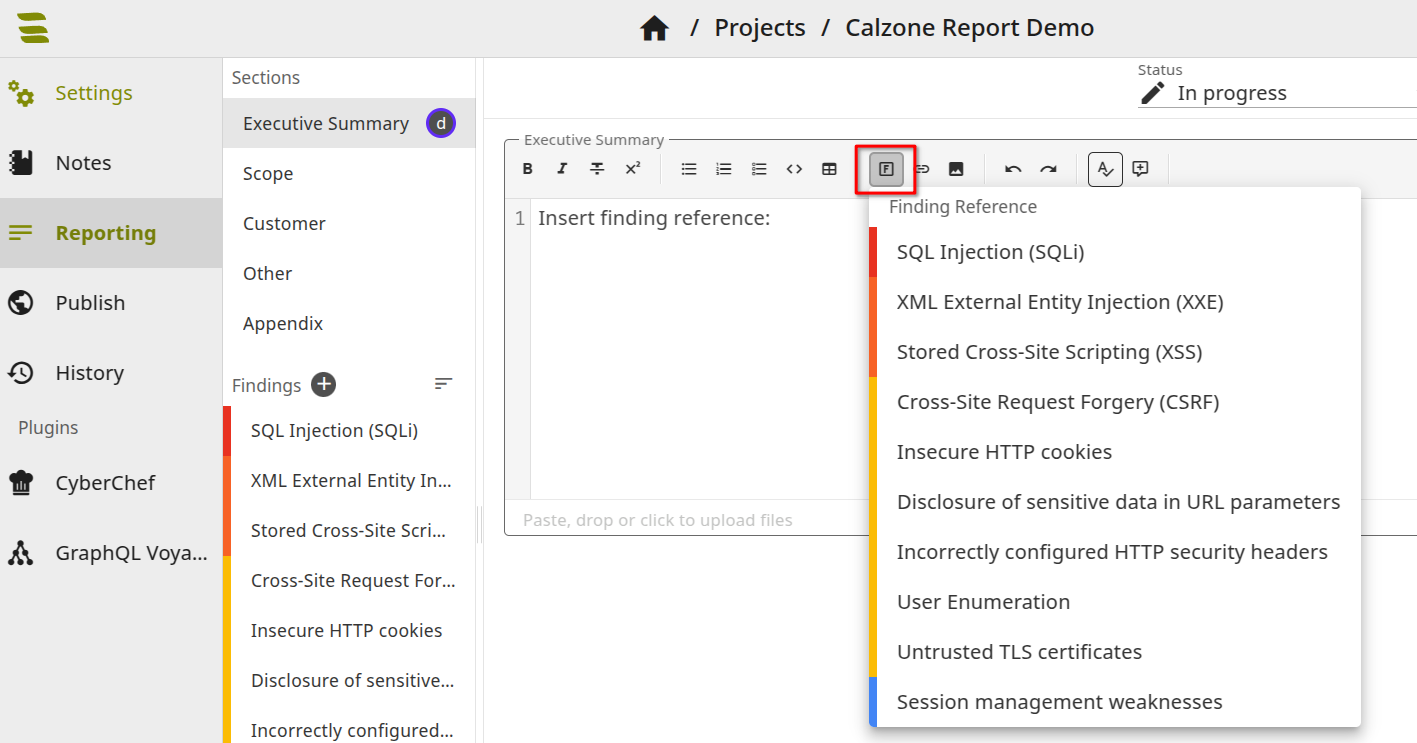
You need the finding ID of the finding you want to reference.
The markdown editor toolbar in projects provides a button to insert finding references.
```md title="Markdown"
See [](#00000000-0000-0000-0000-000000000000)... (e.g. rendered as "1.3 SQL injection")
```
```html title="HTML"
See ... (e.g. rendered as "1.3 SQL injection")
```
## Reference Headings
You can reference headings if your [design supports it](/designer/headings-and-table-of-contents#referencing-sections-in-text-outside-of-toc).
```md title="Markdown"
# Findings {#findings .in-toc.numbered}
Find details in [](#findings) (rendered as "1 Findings").
```
```html title="HTML"
